As you build your templates, you'll find that you are using similar blocks in many of them.
To avoid repetitions, you can extract those blocks into a template and recall that template from other templates.
This way, you only need to keep one template up to date.
The best way to do this is by using the Insert template macro.
To extract a frequently used piece of text
1.Open a template in Quick edit or the Template editor
2.Select the text you want to extract
3.Right click and choose Extract & link
4.Assign the desired Id and Description for the template and click OK to confirm
PhraseExpander will create a new template and move the contents there. At the same time it will add a reference (via the Insert template macro) to the current template.
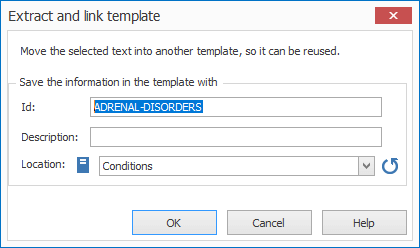
The extract and link window allows you to quickly extract a piece of text and place it into another template.
NOTE: if you extract a block of text that contains variables the variable definition is not copied to the newly created template and the variables must be redefined.